Woodo Controls and Camera Guide: Find Hidden Pieces
Learn Woodo camera, mouse, controller and Switch 2 control habits, plus practical steps for finding hidden sockets and objects behind furniture.
The basic control loop
Woodo asks you to rotate a small wooden scene, inspect openings and details, select an object, and place it where the shape and context match. The official Steam page describes this interaction loop, but does not publish one universal button chart for every platform. Follow the prompt shown in your version first.
When an object seems missing
- Rotate the diorama through a full circle, including the rear and underside when possible.
- Zoom in on small openings, shelves, floor edges, leaves, and furniture joints.
- Inspect behind cupboards, drawers, tables, and other large props.
- Compare grain, outline, color, and connection detail.
- Check whether the object is a smaller part of a nested object.
- Use a hint or assistance option if the scene still gives no readable clue.
Games Asylum reports that later floor, leaf, and small decorative pieces can blend into the background. A camera sweep is therefore more reliable than repeatedly dragging the same object.
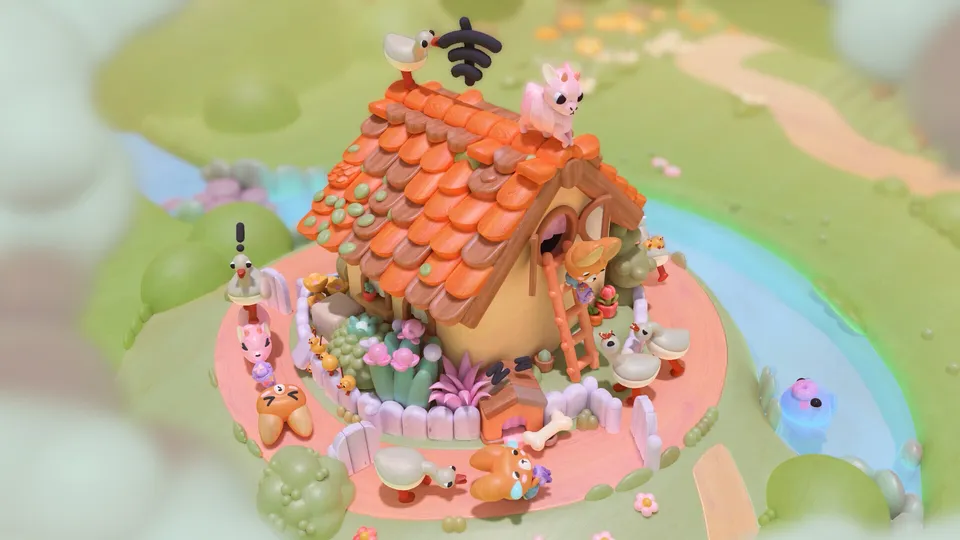
PC mouse, controller, and Switch 2 habits
The community controls guide describes a mouse as useful for orbiting, panning, zooming, selecting, dragging, and inspecting. With a controller, separate camera movement from placement: first expose the socket, then select the piece. If it does not snap, move the camera slightly and check the far side of the prop.
The same community page discusses Switch 2 Joy-Con 2 mouse-style input. That is a community observation, not a universal requirement or a performance test. A Reddit player also described PS5 camera angles as requiring adaptation; treat that as individual feedback.

For broader platform evidence, read the Woodo platform experience guide and the Woodo review. The beginner guide explains hints and nested objects without giving away answers.
Sources and publication dates
Source: Steam store page
Published: Full release 2026-09-16; live page
Accessed: 2026-09-18
Source type: Official store page
Reliability: Highest for the interaction model; no universal button chart claimed
What it supports: Rotating and exploring dioramas, placing objects, restoring scenes, and assistance.
Source: Woodo Wiki controls guide
Published: Updated 2026-09-13
Accessed: 2026-09-18
Source type: Community guide
Reliability: Medium for practical habits; lower than the in-game UI for exact bindings
What it supports: Camera sweeps, furniture checks, mouse/controller habits, assistance, and Switch 2 observations.
Last updated: 2026-09-18.
Related Articles
updates
Woodo on Steam, PS5, Xbox and Switch: Platform Guide
Compare Woodo platform coverage and reviewer evidence across Steam, PS5, Xbox, Switch and Switch 2 without confusing official support with hands-on testing.
guides
Woodo Demo Guide: Gameplay and Puzzle Tips
Learn how Woodo's diorama puzzles work, where to find the official demo, and how to read visual clues without relying on unverified walkthrough answers.
guides
Woodo Demo vs Full Game: What Changes?
Compare the Woodo Demo with the full release, including the demo rooms, camera habits, assistance, platform access, and facts that still need verification.
Was this helpful?
Thanks for the feedback!